Step-by-Step Guide to Wiring Switch and Light Safely
Understanding Wiring a Switch and Light: What You Need to Know Before You Start
Wiring a switch and light is one of the most common DIY electrical tasks homeowners tackle — and for good reason. It’s straightforward when done right, but small mistakes can lead to serious hazards. According to the National Fire Protection Association, electrical failures contribute to an estimated 44,700 home fires every year in the U.S.

Here’s the quick answer if you just need the basics:
- Turn off power at the breaker and verify with a non-contact voltage tester
- Run NM-B cable from the power source to the switch box, then from the switch to the light fixture
- Connect the black (hot) wire to one switch terminal and the switched hot to the other
- Bypass the switch with the neutral wire — connect it directly to the light fixture
- Connect all ground wires to the switch’s green screw
- Restore power and test the switch
Let me explain why each step matters — and what can go wrong if you skip one.
Here’s the thing: most single-pole switch installations take 15 to 30 minutes. But wiring errors cause arcing faults, which the Electrical Safety Foundation International links to 51% of all electrical fires. That’s why understanding the basics before you touch a wire is so important — and why the National Electrical Code (NEC) now requires Arc-Fault Circuit Interrupter (AFCI) protection in bedrooms, living rooms, dining rooms, and similar spaces.
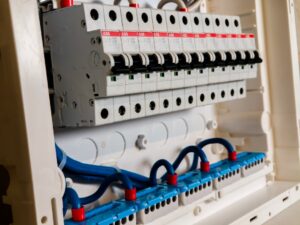
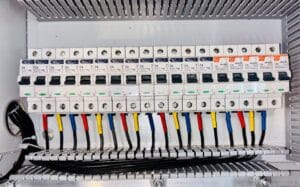
Before we dive into the actual wiring, let’s establish the absolute rule of home electrical work: never work on a live circuit. You know what? Flipped wall switches do not stop electricity from flowing to the box itself. Always head to your main electrical panel, locate the correct circuit breaker, and flip it completely off.
Once you think the power is dead, use a non-contact voltage tester to verify. Test the device on a known live outlet first to ensure it works, then hold it near the wires inside your switch box. If it doesn’t beep or light up, you are safe to proceed.
The Installation Process
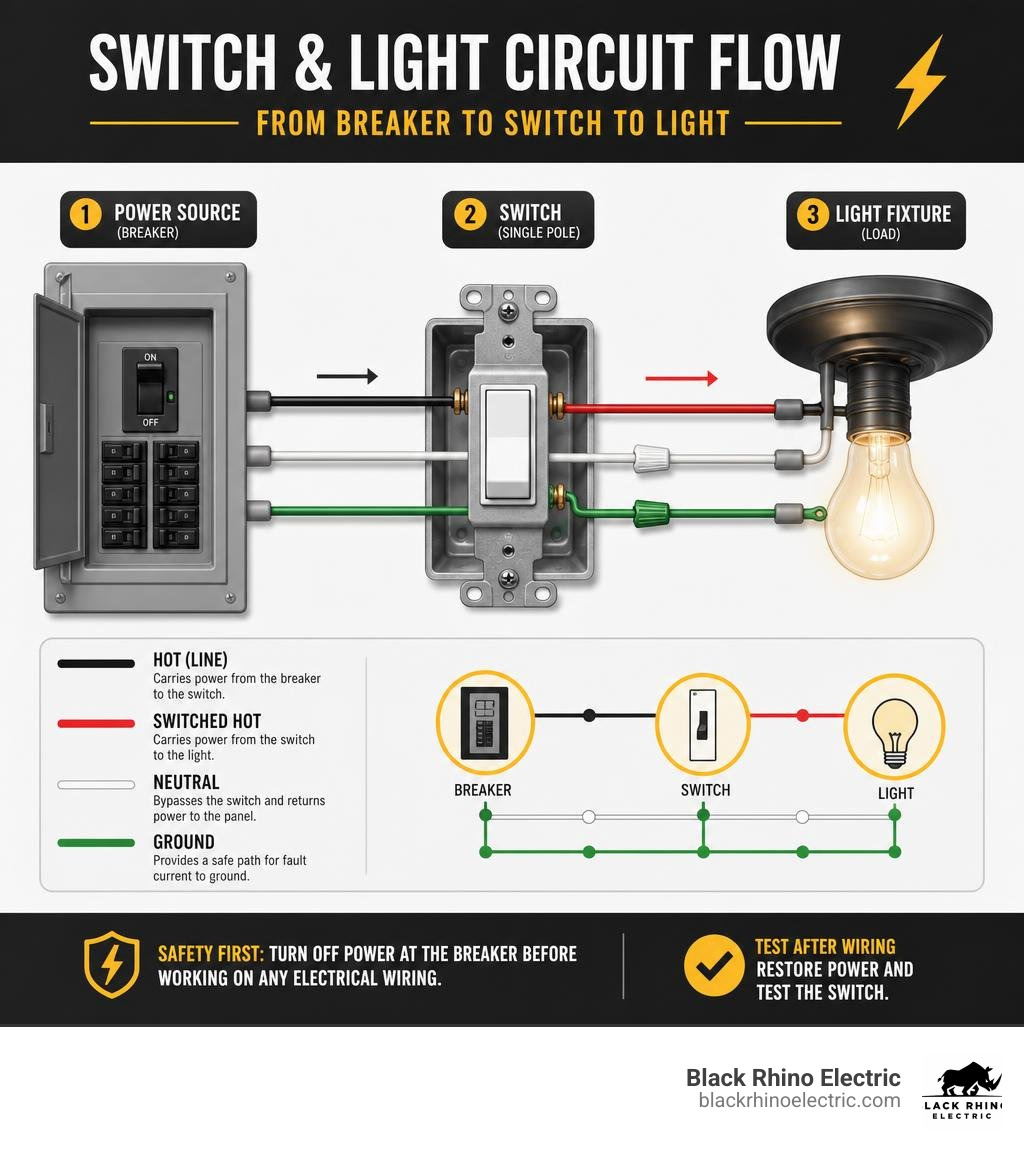
When wiring a switch and light, your physical setup usually dictates how the cables run. To get started, you can refer to this beginner wiring diagram or read our detailed guide on how to wire a light switch.
Here is how you make the physical connections step-by-step:
- Prepare the Cables: Strip about 1/2 inch of plastic insulation off the ends of your individual wires using wire strippers.
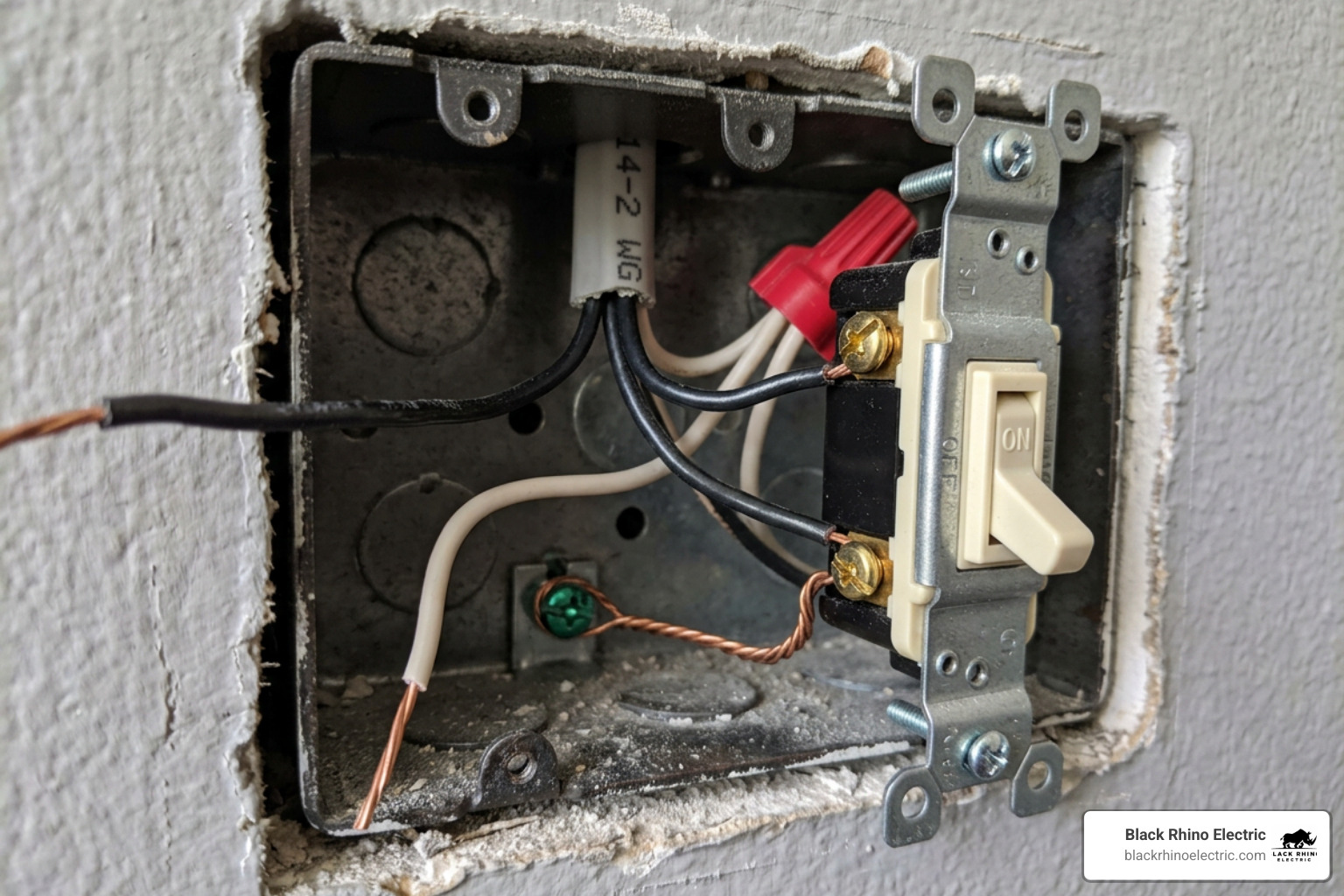
- Connect the Ground Wires First: Safety is paramount. Gather all bare copper (or green) ground wires. Connect them together using a wire nut, leaving a short “pigtail” wire to connect directly to the green grounding screw on your switch.
- Connect the Neutral Wires: In a standard setup where power enters the switch box first, the white neutral wires do not connect to a standard single-pole switch. Instead, connect the incoming neutral wire directly to the outgoing neutral wire leading to the light fixture using a wire nut.
- Wire the Switch Terminals: Take your incoming black (hot) wire and wrap its stripped end clockwise around one of the brass terminal screws on the switch, then tighten the screw. Next, take the black wire leading to the light fixture (the switched hot or “load” wire) and connect it to the other brass terminal screw.
- Secure the Fixture: Over at the light fixture box, connect the switched hot wire (black) to the fixture’s black wire, the neutral wire (white) to the fixture’s white wire, and the ground wire to the fixture’s ground screw or green wire. Secure everything with wire nuts.
- Secure and Test: Gently fold the wires into the boxes, screw the switch and fixture into place, attach the wall plates, turn the breaker back on, and test your work!
Understanding Switch Loops
In older homes, you might run into a “switch loop” configuration. This happens when the power source runs directly to the light fixture first rather than the switch box.
In a switch loop, a single cable runs down to the switch. Since standard cable only has a black and a white wire, the white wire is repurposed to carry hot current down to the switch. If you have this setup, the NEC requires you to wrap black electrical tape around the ends of the white wire to clearly identify it as a hot conductor for future safety.
Essential Tools and Components for Wiring Switch and Light
Having the right tools on hand makes the job faster, cleaner, and infinitely safer. Here is your essential checklist before you start:
- Non-Metallic Sheathed Cable (NM-B): Commonly known as Romex. Use 14/2 wire for standard 15-amp circuits (most common for home lighting) and 12/2 wire for 20-amp circuits. Never mix wire gauges on the same circuit!
- Single-Pole Switch: The standard toggle switch with two brass terminals and a green ground screw.
- Light Fixture & Junction Boxes: Appropriately rated plastic or metal electrical boxes.
- Wire Strippers & Screwdrivers: Essential for removing insulation and securing terminal screws.
- Wire Nuts & Electrical Tape: For insulating and securing wire splices.
- Safety Goggles: Always protect your eyes from debris when working under ceiling boxes.
Understanding Electrical Wires: Hot, Neutral, and Ground
To safely handle electrical wiring, you have to know exactly what each wire color represents. Let’s break down the standard color coding used in residential electrical systems:
- Black Hot Wire: This wire carries the full 120-volt current from your electrical panel to the switch. It is always considered live and dangerous.
- White Neutral Wire: This wire completes the circuit by returning the unused current back to the electrical panel.
- Bare Copper (or Green) Ground Wire: This wire provides a safe path for electricity to escape to the earth in the event of a short circuit, preventing electrical shocks.
- Red Traveler Wire: You will only see this in 3-way and 4-way switch setups. It carries current between multiple switches.
Line vs. Load
When wiring a switch, you must understand the distinction between “Line” and “Load.” Line refers to the wire carrying incoming power directly from your breaker panel. Load refers to the wire that carries that power onward to your light fixture once the switch is turned on.
Single-Pole vs. 3-Way and 4-Way Wiring Switch and Light Setups
Not all light switches are created equal. Depending on the layout of your room, you might need to control a light from one, two, or even three different locations.
| Switch Type | Number of Control Locations | Terminal Screws | Common Applications |
|---|---|---|---|
| Single-Pole | One location | 2 brass, 1 green (ground) | Bedrooms, small bathrooms, closets |
| 3-Way | Two locations | 1 dark common, 2 traveler, 1 ground | Stairways, long hallways, large family rooms |
| 4-Way | Three or more locations | 4 traveler, 1 ground | Large open-concept living areas, multi-entrance rooms |
Multi-Location Control
A single-pole switch simply breaks or completes the circuit. A 3-way switch, however, redirecting current through one of two “traveler” wires to another 3-way switch. If you are dealing with a more complex multi-switch hallway or staircase, check out The Ultimate 4-Way Switch Schematic Diagram and Wiring Guide for detailed schematics.
Smart Switches and Dimmers
Are you planning to upgrade to a smart switch or a dimmer? Modern smart switches often require a continuous power source to run their internal Wi-Fi or Bluetooth chips, meaning they require a neutral wire in the switch box. If your older home doesn’t have neutral wires in the switch box, you will need to search for smart switches specifically designed to operate without one, or call a professional to update your wiring. If you are adding a dimmer to customize your room’s ambiance, follow our step-by-step guide on how to install a dimmer switch.
Troubleshooting Common Issues and Testing Your Connections
Once your wiring is complete, it is time to test your work. Turn the breaker back on and flip the switch. If things don’t go as planned, here is how to diagnose the problem:
- Flickering Lights: This is often caused by a loose wire nut connection or a bulb that isn’t screwed in tightly. Turn off the power, open the boxes, and perform a gentle “tug test” on each wire to ensure they are firmly clamped.
- Buzzing Switch or Warm Switch Plate: Honestly, this is a major red flag. A warm switch plate or a buzzing sound indicates electrical arcing or an overloaded switch. Turn off the breaker immediately and replace the switch, or call a professional.
- Tripping Circuit Breaker: If the breaker trips the moment you flip the switch, you likely have a direct short circuit (e.g., a bare hot wire touching a metal box or a ground wire). De-energize the circuit and inspect your connections for exposed copper.
- Using a Multimeter: If you are unsure if power is reaching the switch, a multimeter can help you safely measure the voltage across your line and neutral connections.
Advanced Configurations and When to Call a Professional
While basic single-pole wiring is a fantastic weekend project, residential electrical systems can quickly get complicated. Older homes built before the mid-1960s often have outdated knob-and-tube or two-conductor wiring systems that lack a dedicated grounding path. Attempting to install modern fixtures or smart switches in these environments can be incredibly dangerous without proper upgrades.
Furthermore, local building and electrical codes in Utah are strict. Permitting and professional inspections are often required for new circuit additions to ensure your home remains compliant and insurable. For general guidance on standard switch layouts, you can review the HomeTips Standard Light Switch Guide or read our foundational article on how to wire a light switch.
At Black Rhino Electric, we specialize in essential EV charger installations, hot tub wiring, panel replacements, and comprehensive whole home or business wiring services throughout Weber County, with expert coverage in Ogden and surrounding Utah areas. Whether you’re a homeowner in Ogden preparing for electric vehicle ownership with seamless EV charger setups, a family in North Ogden wiring up a backyard hot tub for safe enjoyment, a business manager in Roy needing urgent panel replacements to prevent outages, or a property owner in Ogden undertaking full rewiring for modern efficiency, our expert team delivers tailored solutions with precision and care.
As fully licensed electricians and insured electrical contractors, we prioritize your safety and satisfaction with every project—from strategic EV charger installations that future-proof your driveway, specialized hot tub wiring that ensures code compliance and protection against water hazards, reliable panel replacements to upgrade capacity and reliability, to thorough whole home or business wiring that optimizes energy flow and supports growth. Our customer-centric approach means transparent pricing, minimal disruption, and 24/7 availability for urgent needs, ensuring your local electrician near me in Ogden is just a call away.
While tackling a basic switch and light installation is a great way to build your DIY confidence, complex configurations or older home systems can quickly become overwhelming. Honestly, your safety is always the top priority, and there is no shame in calling in the experts when a project goes beyond your comfort zone. If you run into troubleshooting issues or need professional assistance with your home’s electrical system, 801-810-4292 or Request a Free Quote today.