
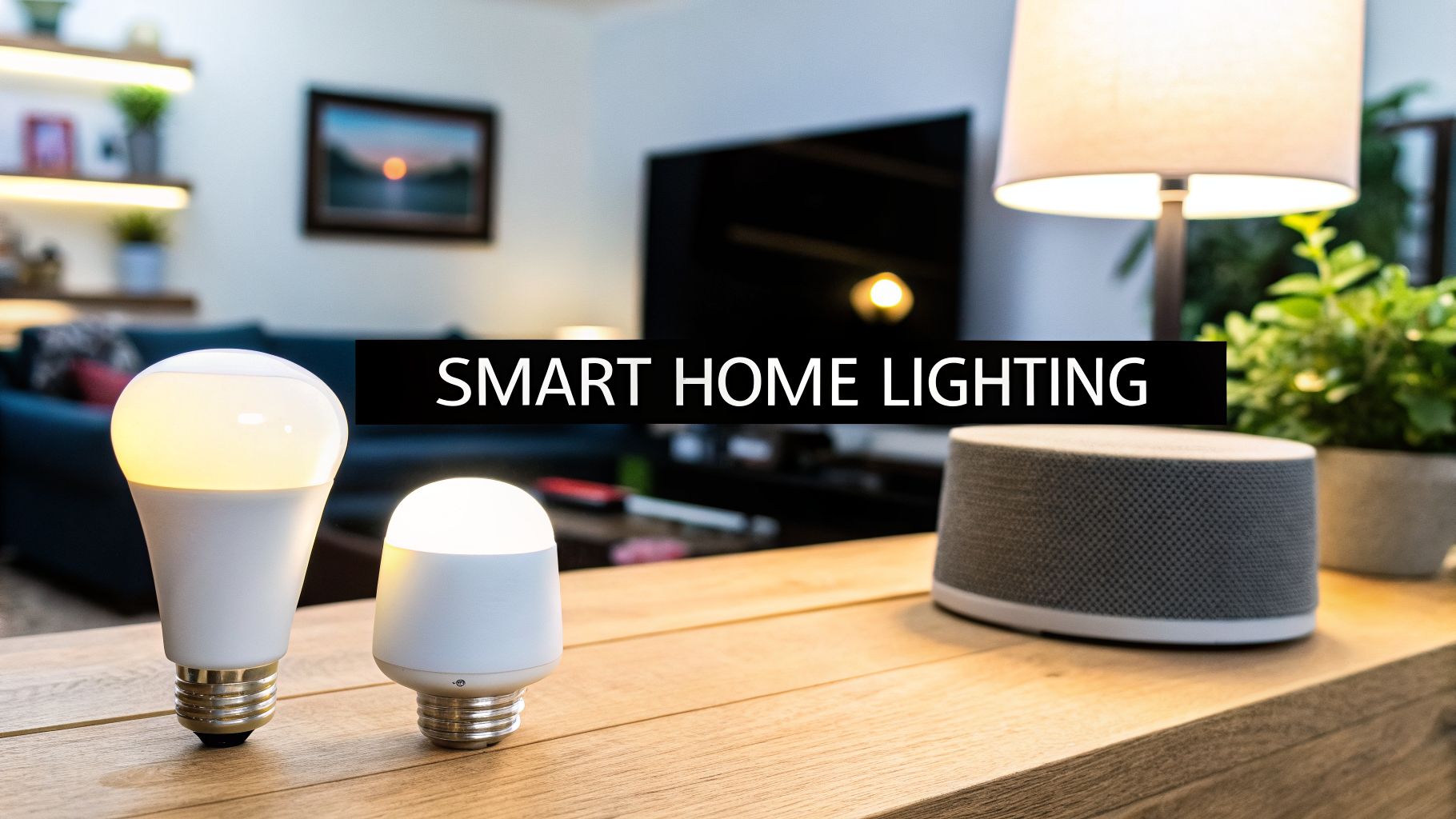
Feeling like your home could be smarter and more intuitive? Choosing the best smart home lighting systems can completely transform your space, offering unparalleled convenience, security, and ambiance with just a tap or a word. This guide, backed by expert experience, will help you navigate the options and create a home that truly responds to you.
Welcome to Your Brighter Smarter Home

Smart lighting is about making your life easier and giving you total control over the atmosphere in your home. But here's the thing: it’s about a lot more than just convenience. It’s security, comfort, and energy savings all rolled into one clean package.
From scheduling your porch lights to make it look like someone’s home to setting the perfect dim scene for movie night, the possibilities are real and practical. This guide is built from our hands-on experience as electricians to give you the insights you need to make the right choice, without the confusing jargon.
What Exactly Is a Smart Home Lighting System?
You’ve probably heard about smart lighting, but what does it actually mean for your home? It’s far more than just a fancy, app-controlled lightbulb. Think of it like giving your home’s lighting a complete nervous system and a brain—transforming it from a simple on/off utility into an intelligent environment that works for you.
Instead of being tied to a physical switch on the wall, you get total control over brightness, color, and scheduling right from your phone or with a simple voice command. This technology is quickly becoming a cornerstone of modern homes. In fact, the market is growing fast, with North America leading the way as homeowners embrace systems that can slash electricity bills by up to 40-60% through smart automation.
The Core Components That Power Your Lights
Let me explain the moving parts. It’s not as complicated as it sounds, and knowing the players helps you choose the right setup.
- Smart Bulbs: These are the direct replacements for your traditional bulbs. They look familiar but contain the tech to connect to your network, letting you change their brightness and, in many cases, color.
- Smart Switches and Dimmers: These replace your existing wall switches. They’re a fantastic way to make entire fixtures "smart," even those with "dumb" bulbs. A smart switch ensures your system is always powered up and ready for commands.
- Hubs or Gateways: A hub acts as the central command center for your lights. It translates the signals from your app or voice assistant and sends them to the bulbs and switches. While some systems don't require one, a dedicated hub often creates a more reliable and powerful network.
- Control Apps and Voice Assistants: This is how you interact with the system—the app on your phone or your voice assistant (like Alexa or Google Assistant). It's where you create schedules, set scenes, and control everything without getting up.
These components are all part of a larger ecosystem of connected devices. Smart lighting is really just one piece of the puzzle, integrating into the broader concept of the Internet of Things (IoT) in buildings.
By combining these elements, you can create "scenes"—pre-set lighting configurations for whatever you're doing. A "Movie Night" scene could dim the main lights, turn on a soft accent lamp, and shift the color to a warm, cozy hue, all with a single tap. This level of control is what truly defines a modern smart lighting setup and makes it so practical for everyday life.
To find the best smart home lighting systems, you first have to decide how everything will talk to each other. Have you ever wondered how your phone tells a lightbulb on the other side of the house to turn on? It’s all about communication, and different systems speak different languages.
Understanding Your System's Core Technology
The tech behind smart lighting can feel a little intimidating, but it’s simpler than you might think. Imagine the main technologies—Wi-Fi, Zigbee, Z-Wave, and Matter—as different radio frequencies or languages that your smart devices use to communicate. Picking the right one is the groundwork for a reliable, responsive smart home.
This diagram shows the basic communication flow, from your control device to the lights themselves.

It maps out how your command travels from a phone or voice assistant, often through a central hub, to the light fixture. Simple, clean, and effective.
The Four Main Communication Protocols
Let’s break down the common technologies without the heavy jargon. Each has its own strengths, and the best choice really depends on your home’s size, your budget, and what smart devices you already own.
Choosing the right communication protocol is like picking the right tool for the job. You wouldn't use a hammer to turn a screw, and you shouldn't use a protocol that clogs your Wi-Fi if you plan on having dozens of smart devices.
Interestingly, these same principles apply to other smart home devices. It can be helpful to see how motorized blinds work, as they often rely on the same communication tech as lighting.
Smart Lighting Protocol Comparison
This responsive table breaks down how each technology works and where it shines—or doesn't.
| Technology | How It Works | Pros | Cons | Best For |
|---|---|---|---|---|
| Wi-Fi | Connects each device directly to your home’s router, just like your laptop or phone. | Simple setup; no extra hub needed for many devices. | Can slow down your Wi-Fi network and cause lag with lots of devices. | Smaller homes or users just starting with a few smart bulbs. |
| Zigbee | Creates a separate "mesh" network where devices talk to each other to extend signal range. | Very reliable and fast; low energy use so it's great for battery devices. | Often requires a dedicated hub (like Philips Hue) to connect to your Wi-Fi. | Large homes with many devices, where a strong, dedicated network is a plus. |
| Z-Wave | Similar to Zigbee, it also creates a mesh network but on a different radio frequency. | Excellent reliability; avoids Wi-Fi interference; strong security features. | Can be more expensive; requires a certified Z-Wave hub. | Security-focused systems and homes needing maximum reliability without Wi-Fi clutter. |
| Matter | A new universal standard designed to let devices from different brands work together smoothly. | Future-proof compatibility; simplified setup; works over existing networks. | Still a newer technology, so device selection is growing but not yet exhaustive. | Anyone building a new smart home or wanting to ensure long-term compatibility. |
Looking at the options, you can see there's a clear trade-off between simplicity (Wi-Fi) and robustness (Zigbee/Z-Wave). Matter, however, is changing the game.
The Future Is Universal With Matter
You know what? For a long time, the biggest headache with smart homes was getting devices from different companies to cooperate. One brand used Zigbee, another used Wi-Fi, and making them play nice was a real chore.
Matter is the solution to that problem. Think of it as a universal translator for your smart home.
When you buy a Matter-certified device, you can be confident it will work with your Matter-certified hub and other devices, no matter the brand. This promises to make building—and expanding—your smart lighting system much easier and more flexible, protecting your investment for years to come.
Smart Hubs and Voice Assistants: Your Command Center
Imagine walking into a dark room and just saying, "Hey Google, turn on the lights." Suddenly, the room is perfectly lit. That’s not just a cool party trick; it's the real magic behind the best smart home lighting systems. This is where smart hubs and voice assistants come in, acting as the brain for your entire setup.

A smart hub—whether it's a dedicated box or built right into a voice assistant like an Amazon Echo or Google Nest Hub—is what ties everything together. It takes all your different smart devices—lights, thermostats, locks, you name it—and gets them talking to each other. Without one, your devices are just a bunch of disconnected gadgets. With one, they become a smart, coordinated home.
This centralized control is why everyone’s jumping on board. We’ve seen residential smart lighting adoption take off as homeowners prioritize the convenience of voice control. In fact, these control systems are now growing faster than the lighting hardware itself, turning simple lamps into tools for real energy savings. You can explore more data on this trend and its impact on the market to see just how much control matters.
Why Compatibility Is Everything
Here’s the thing: not all lights work with all assistants. Before you buy a single smart bulb, you have to make sure it plays nice with the system you want to use. Whether you’re on Team Alexa, a Google Assistant fan, or all-in on Apple's Siri, checking for compatibility is the single most important step.
Think of it like this: your voice assistant is the general, and your smart lights are the soldiers. If they don't speak the same language, your commands will fall on deaf ears, and the "smart" part of your home gets real frustrating, real fast.
This is why looking for a "Works with Alexa," "Hey Google," or "Apple Home" badge on the box isn't just marketing—it's your guarantee that things will actually work smoothly.
Popular Voice Ecosystems at a Glance
Each system has its own personality and strengths. This responsive table provides a quick rundown of the big three.
| Voice Assistant | Key Features & Strengths | Ideal For |
|---|---|---|
| Amazon Alexa | Extensive device compatibility and a huge library of "Skills" for custom commands. | Users who want the widest possible choice of smart devices and enjoy tinkering with third-party integrations. |
| Google Assistant | Superior conversational AI that understands natural language well, with deep integration into Android and Google services. | Homeowners already in the Google/Android world who appreciate a more natural, conversational feel to their voice commands. |
| Apple Siri | Strong focus on privacy and security, with seamless integration across all Apple devices through the HomeKit platform. | Apple users who value a secure, private, and tightly controlled ecosystem where every device just works together, flawlessly. |
Once you’ve picked your side and connected your lights, you can unlock the really powerful stuff: routines and automations. With a single command like "goodbye," you can trigger a sequence that turns off all the lights, adjusts the thermostat, and locks the front door. This is how you go from a collection of smart gadgets to a truly responsive home.
At the end of the day, picking the right hub and voice assistant is about creating a system that feels effortless. When everything just works, your home starts to feel like it’s anticipating your needs, making life that much simpler.
Alright, you’ve picked out some slick new smart lighting. This is the fun part—but now comes the part that really matters: getting it all installed correctly and safely. This is where the best smart home lighting systems go from an idea in a box to a working part of your home. It’s also where a little expertise goes a very long way.

Let's be honest, not all smart lighting is created equal when it comes to installation. Some stuff is genuinely designed for a quick DIY weekend. Other gear absolutely needs the hands of a professional. Knowing the difference is what keeps a project successful—and safe.
Retrofit vs. Hardwired Installations
Let’s get straight to it. You really have two main paths: simple retrofits or more permanent, hardwired solutions.
- Retrofit (Plug-and-Play): This is the easiest way to get started. We're talking about smart bulbs you screw into your existing lamps or smart plugs that go into an outlet. There’s no electrical work needed, which is perfect for renters or anyone just wanting a quick, simple upgrade without opening up a wall.
- Hardwired Solutions: This group includes smart switches, in-wall dimmers, and integrated fixtures that replace your old ones. Because these hook directly into your home’s electrical circuits, the installation is a much more serious task.
A screw-in bulb is one thing. But replacing a wall switch means you’re working with your home's live 120-volt wiring. This is no time for guesswork.
When to Call a Licensed Electrician
While the DIY route can be tempting, some jobs carry risks that just aren’t worth it. Working with electricity is dangerous if you don’t have the right training and tools. Here are the clear signs you need to put down the pliers and call a pro.
- Installing Smart Switches or Dimmers: This is the big one. Most smart switches need a neutral wire to stay powered on. The thing is, a lot of older homes here in Utah don't have that neutral wire in the switch box. An electrician can safely figure out your wiring and, if needed, run a new wire to make the switch work right and meet code.
- Upgrading Your Electrical Panel: A house full of new smart gadgets and fixtures can add up, increasing the load on your system. An expert needs to check if your panel can handle it. This prevents overloaded circuits and is a critical step in preventing fire hazards.
- Ensuring Code Compliance: In Weber, Davis, and Salt Lake counties, all electrical work has to follow local building codes. It's not red tape; it's about safety and keeping your insurance valid. A licensed electrician guarantees your installation is 100% compliant.
A common DIY mistake is miswiring a smart switch, which can cause flickering lights, a dead switch, or worse—an electrical short. A professional installation from a trusted lighting electrician isn't just a convenience; it's a critical safety measure.
Ultimately, the smartest move you can make is knowing your limits. For the simple plug-in stuff, go for it and have fun. But for anything that involves opening a wall or touching your home's wiring, a professional install guarantees your system is safe, reliable, and built to last. For peace of mind on those bigger jobs, it pays to understand what a professional electrician brings to the table and how they protect your home.
Understanding Costs and Long-Term Value
Let's get straight to the point: the budget. When you're looking at the best smart home lighting systems, the price tag can swing from a handful of smart bulbs for one room to a fully integrated, professionally installed setup for your entire house. But honestly, the upfront number is only half the story.
When you're mapping out the cost, you’ll be looking at a few pieces: the hardware itself (bulbs, switches, dimmers), any central hub it might need, and the installation fees—especially if you're hardwiring switches and fixtures. But what you're really buying isn't just fancy lights; it's a long-term upgrade.
The real value shows up over time, and it starts with your power bill. This is where that initial cost starts to look like a very smart move.
The Powerful Return on Investment
The most compelling reason to make the switch is pure efficiency. Smart lighting is built around advanced LED technology and intelligent controls that can use up to 60-80% less power than your old incandescent bulbs. For homeowners, that translates into an immediate, noticeable drop in your utility bills. In fact, just using features like dimming and motion sensors can cut your lighting costs by as much as 40%. You can read the full research about these smart lighting market trends to see how this tech is completely changing how we use energy at home.
This isn't just about saving a few bucks here and there. It's about investing in your home's efficiency. The system actively works to cut down on waste, paying for itself month after month through lower electricity bills.
That return on your investment goes way beyond just the energy bill, though. A well-designed system delivers more than just financial payback.
More Than Just Energy Savings
The long-term value of a smart lighting system also comes from how it makes your home feel and function day-to-day—and how it looks to others. Here’s a quick breakdown of the benefits beyond the numbers:
- Increased Property Value: A modern, integrated smart home is a huge selling point. A professionally installed lighting system isn't just a gadget; it's a real upgrade that makes your home stand out to future buyers.
- Enhanced Security: This is a big one. Automated schedules and "vacation" modes that mimic your daily patterns can be a powerful deterrent for potential intruders. That added layer of security gives you priceless peace of mind.
- Unmatched Convenience: Being able to control all your lights with a simple voice command or a tap on your phone isn't a gimmick. It’s a genuine quality-of-life improvement that makes daily routines simpler and more enjoyable.
When you add up the energy savings, the boost in home value, and the sheer daily convenience, the upfront cost starts to feel less like an expense and more like a smart, forward-thinking investment. This is how the best smart home lighting systems deliver value that far outweighs their initial price.
Frequently Asked Questions About Smart Lighting
As you start digging into smart lighting, a few common questions always come up. Getting these sorted out now is the key to building a system you’ll actually enjoy using, without any frustrating surprises down the road.
Can I Mix and Match Different Brands of Smart Lights?
You can, but it comes with a big "but." The new Matter protocol is a huge step forward in getting different brands to talk to each other. That’s the good news.
The honest truth? For the smoothest, most reliable experience, it’s almost always better to stick with one ecosystem (like Lutron Caséta or Philips Hue). Here’s why: when you stay in one family, all your custom scenes, automations, and special features just work. Mixing and matching can sometimes lead to glitches where one light doesn't respond or a scene only partially triggers.
Does Smart Lighting Work if My Wi-Fi Goes Down?
This is a great question, and the answer really depends on the tech you choose. It’s one of the biggest forks in the road for smart lighting.
- Wi-Fi-based bulbs are completely dependent on your internet connection for their "smart" features. If the Wi-Fi drops, they’ll still turn on and off with a physical switch like a regular bulb, but you’ll lose all app control, voice commands, and automations until it’s back online.
- Hub-based systems that use Zigbee or Z-Wave are the workhorses. Because the hub communicates directly with the lights, your pre-set schedules and many automations will keep running perfectly fine, even if your internet is down. This is why we often recommend them for critical areas like kitchens and exterior lighting.
Do I Need Special Wiring for Smart Switches?
In most cases, yes. The vast majority of smart switches need a neutral wire to get the constant, low-level power they require to stay connected to your network. This is a common hiccup in older homes, where the original wiring in the switch box might not include one.
An experienced electrician can take a quick look inside your switch boxes to see what you have. If a neutral wire is missing, we can safely run a new one to get your smart switches installed correctly. You can find more answers to common wiring questions in our comprehensive FAQ section.
Attempting to install a smart switch without the proper wiring is not only frustrating but also dangerous. It’s one of the key moments where professional expertise is essential for both safety and functionality.
When you're ready to create a seamless, reliable smart lighting system tailored to your home, Black Rhino Electric has the expertise to make it happen. Transform your home with confidence by calling us at 385-396-7048 or request a free quote to ensure your project is safe, code-compliant, and perfectly executed.