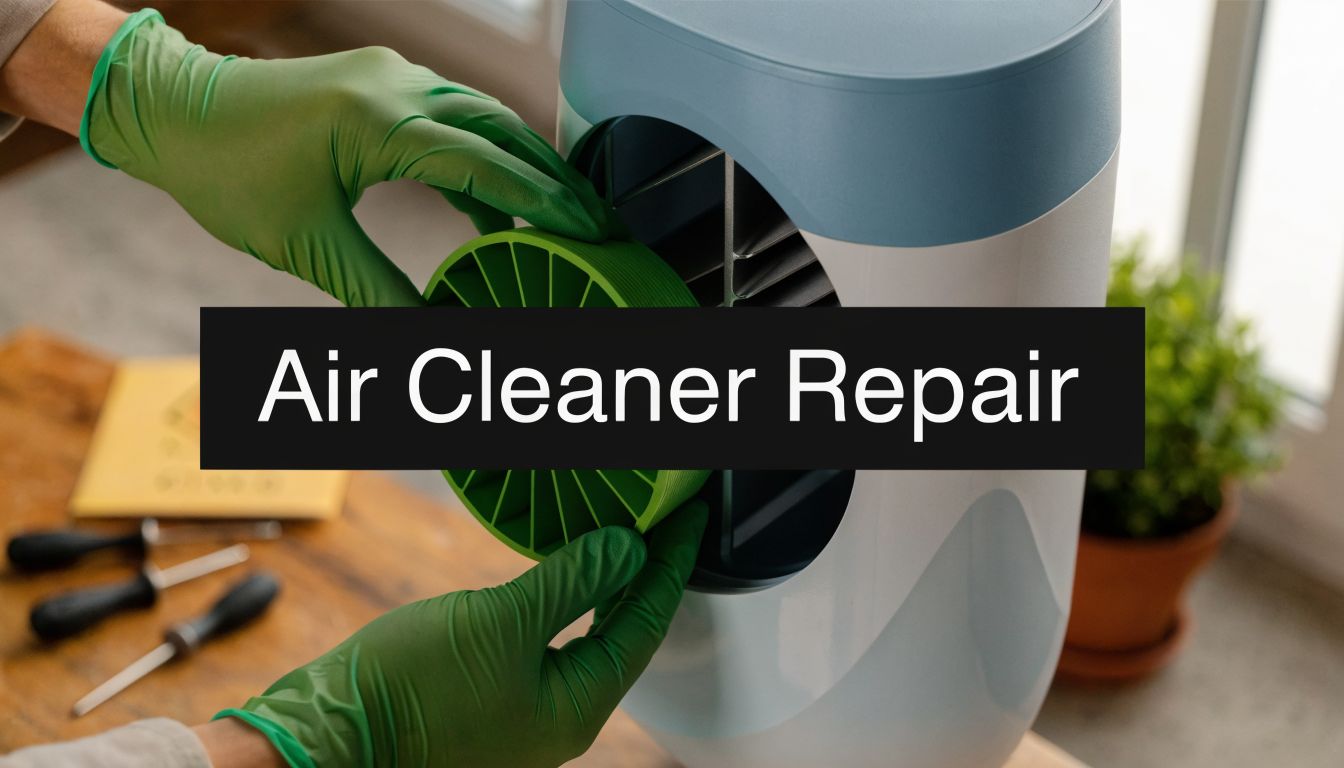
When your air cleaner quits during a dusty windstorm or right as smoke starts drifting into Northern Utah, frustration turns into concern fast. Air cleaner repair often starts with simple checks, but some failures point to hidden electrical problems that most DIY guides miss.
Your Guide to Northern Utah Air Cleaner Repair
A lot of homeowners run into the same problem. The unit worked last week, then one day it won't power on, the fan sounds wrong, or airflow drops when you need it most. In Weber, Davis, and Salt Lake counties, dust, dry air, and sudden weather swings put extra strain on filters, cords, and outlets, which is one reason maintaining healthy air in Utah homes matters year-round.
This guide keeps the troubleshooting practical. Start with safe checks, move to basic maintenance, and know when the issue has crossed into electrical work that belongs with a licensed pro, especially if the problem connects back to your home's wiring, breaker, or residential electrical system.
First Checks When Your Air Cleaner Wont Start
Before you touch the unit, slow down and check the power path from the wall to the machine. Most no-start calls come down to a basic supply issue, not a failed purifier.

Check the breaker the right way
Don't just glance at the panel door and assume everything is fine. A tripped breaker can sit between on and off, which is easy to miss in a dim garage or basement.
Use this sequence:
- Find the correct breaker: Look for a labeled circuit first. If the panel labels are vague, plug in a lamp or phone charger near the air cleaner so you can confirm the circuit.
- Reset it fully: Push the breaker all the way to off, then back to on.
- Watch what happens next: If the breaker trips again right away, stop there. That points to a circuit problem, a short, or a load issue, and it's time to think beyond the air cleaner itself.
If your panel is older, crowded, or showing repeat nuisance trips, that's no longer an appliance issue alone. It overlaps with the kind of service handled under breaker and panel troubleshooting.
Practical rule: If resetting the breaker restores power once, monitor the unit. If it trips again, don't keep forcing resets.
Test the outlet before blaming the machine
Unplug the air cleaner and try another device in the same outlet. A simple table lamp, charger, or hair dryer can tell you a lot in a few seconds.
Look for these outcomes:
- The second device works: The outlet likely has power. The problem may be in the air cleaner, its cord, or its internal controls.
- The second device doesn't work: The outlet may be dead, switched off, tied to a tripped GFCI, or on a bad circuit.
- Power cuts in and out: That suggests a loose receptacle, weak connection, or worn outlet. That's not a safe DIY repair for most homeowners.
You know what? A surprising number of “broken” air cleaners are plugged into outlets controlled by a wall switch across the room. Flip nearby switches before you do anything more complicated.
Inspect the plug and cord without opening the unit
This is a visual check only. Don't remove screws or housings yet.
Look closely for:
- Flattened insulation: Common where a cord gets pinched under furniture or a rolling chair.
- Discoloration near the plug blades: Heat marks can point to poor contact at the outlet.
- Cuts, cracks, or stiff spots: Dust and dry air can age insulation faster than people expect.
- A loose plug fit: If the plug slips out easily or wiggles in the receptacle, the outlet may be worn.
A damaged cord isn't just a nuisance. It can turn a simple appliance problem into a shock or fire risk.
Rule out the obvious control issue
Some units have a child lock, sleep mode, timer setting, or filter-door interlock. If the access panel isn't seated correctly after a filter change, the unit may stay dead even with good power.
Check the basics:
- Filter cover fully latched
- Power button held long enough
- Timer not set to delay start
- Remote batteries, if your model uses one
These checks don't fix every problem, but they separate a simple startup issue from a real repair. That matters, because the next step should depend on what failed.
Safe DIY Air Cleaner Repairs You Can Tackle
Once you've confirmed the outlet and breaker are okay, there are a few repairs that are usually safe for homeowners. The key word is safe. Stay with parts designed for routine access, and stop if you'd need to dig into wiring, capacitors, or the motor housing.

Replace a clogged filter first
In Northern Utah, this is the first thing I'd suspect when airflow drops. Dust, pet hair, and wildfire smoke load filters fast, and performance falls off before the machine necessarily gives a clear warning.
For homeowners dealing with smoke events, DIY air cleaner evidence reviewed by NCCEH notes that a dirty filter can cause CADR to drop from 92% to 77% over six months, which is a real loss in cleaning performance.
Do it this way:
- Unplug the unit: Always start there.
- Open the filter access panel carefully: Don't force tabs. Plastic gets brittle.
- Take a photo before removal: This helps with orientation, especially on multi-filter models.
- Match the replacement exactly: Size, model number, and airflow direction arrow matter.
- Vacuum loose dust from the compartment: Use a brush attachment lightly. Don't scrape sensors or wiring.
- Reset the filter indicator if your model has one: Otherwise the unit may keep showing a fault.
Field note: If the old filter is heavily loaded, replacing it can make the machine sound stronger immediately because the fan isn't fighting restriction anymore.
Clean the intake grille and sensor area
A lot of people replace the filter and stop there. That helps, but dust also cakes onto intake slots and sensor windows, which can make the unit act erratically.
Use a soft cloth, dry microfiber, or a vacuum brush. Focus on the air inlets, outlet grille, and any visible dust over the sensor opening. Don't spray cleaner directly into the unit.
A few good habits make this easier:
- Start at the top vents: Dust often collects there first.
- Use gentle pressure: Sensor covers and trim pieces can snap.
- Keep liquids out of seams: Moisture and control boards don't mix.
- Let everything dry fully: If you used a slightly damp cloth on the exterior, wait before powering back on.
Check for blocked airflow around the unit
Placement causes more trouble than people think. If the air cleaner is shoved against a couch, drapes, or a corner pile of boxes, it may run hot, pull poorly, or cycle oddly.
Walk around the unit and fix the simple stuff:
- Move furniture away from intake and exhaust sides
- Remove lint or pet hair mats from lower vents
- Keep it off thick carpet if the bottom intake needs clearance
- Avoid running it right next to a humidifier mist stream
This isn't glamorous repair work, but it often solves “weak airflow” complaints.
Try a basic reset for electronic glitches
If the unit has power but the controls are frozen, a reset is worth trying. Many modern models lock up after power blips, dirty filter alerts, or sensor confusion.
A safe reset usually means:
- Unplug the air cleaner.
- Wait a short period.
- Reinstall the filter and cover securely.
- Plug it back in.
- Hold the power or reset button if your manual calls for it.
If the display returns to normal and the fan responds, you likely had a minor control fault. If it goes blank again, shuts off under load, or starts buzzing, that's no longer a basic DIY issue.
What usually works and what doesn't
Some homeowner fixes are useful. Some create bigger headaches.
Usually worth doing
- Filter replacement: Especially after smoke or heavy dust periods
- Exterior and grille cleaning: Helps airflow and noise
- Sensor dusting: Can correct odd air quality readings
- Simple reset: Helpful after a power interruption
Usually not worth doing
- Opening sealed motor compartments: Too much risk for too little gain
- Using off-brand parts that don't fit right: Poor fit can affect airflow and sealing
- Taping a damaged cord: That's a temporary hazard, not a repair
- Bypassing a door switch or safety interlock: Unsafe, and it can damage the unit
If a repair requires you to expose wiring, it's no longer routine maintenance. Stop there.
When to Stop and Call an Electrician
Some symptoms draw a hard line. If your air cleaner smells hot, trips a breaker repeatedly, buzzes at startup, or leaves scorch marks on the plug or outlet, don't treat that like a filter problem.
The bigger issue is that many guides stay focused on fan cleaning and filter swaps while ignoring electrical faults. According to the air purifier repair discussion at Apex Clean Air, the U.S. Consumer Product Safety Commission links over 1,200 small appliance electrical fires annually, with air cleaners implicated in 8% of cases, often due to wiring degradation. That's exactly why “it just stopped working” can't always be handled with a screwdriver and guesswork.
Red flags that point to electrical trouble
If you see any of these, stop using the unit:
- Burning smell: This can mean overheated wiring, a failing motor winding, or a bad internal connection.
- Buzzing or humming without normal airflow: That may point to a failing capacitor, a stalled motor, or a voltage issue.
- Scorching on the plug or receptacle: Heat damage at the connection needs real diagnosis.
- Repeated breaker trips: Something is overloading, shorting, or pulling current in a way it shouldn't.
- Shocks or tingling when touching the cabinet: This is an immediate safety issue.
- Intermittent power when the cord moves: The cord, plug, or internal termination may be failing.
Some older portable units and specialty systems can still be worth salvaging. If you have a legacy purifier model, a niche resource like restoring EcoQuest portable and HVAC purifiers can help you identify whether parts support still exists before you decide between repair and replacement.
A breaker that trips twice is giving you information. Listen to it.
DIY vs. Call a Pro Air Cleaner Symptoms
| Symptom | What It Likely Means | Your Next Step |
|---|---|---|
| Unit won't start, but outlet is dead too | Circuit or outlet issue | Stop using the outlet and have the circuit checked |
| Unit has power, but airflow is weak | Filter loading or blocked vents | Replace the filter and clean accessible grilles |
| Plug or outlet looks darkened | Heat damage at the connection | Stop immediately and call a licensed electrician |
| Breaker trips when the unit starts | Internal fault, overloaded circuit, or short | Don't reset repeatedly. Get professional troubleshooting |
| Unit works only when you wiggle the cord | Damaged cord or loose connection | Unplug it and don't reuse it until repaired |
| Fan hums but doesn't spin normally | Motor or capacitor issue | Leave internal repair to a qualified technician |
Hidden failures that most DIY guides skip
A filter is visible. Wiring faults aren't. That's why people keep chasing the wrong problem.
Common hidden faults include:
- Loose internal terminations: Vibration and heat cycles can loosen spade connectors over time.
- Failing capacitors: Motors may buzz, hesitate, or overheat before they quit.
- Damaged receptacles: A worn outlet can starve the unit of stable power.
- Shared-circuit problems: If the air cleaner is on a crowded circuit, startup can expose weaknesses elsewhere in the branch wiring.
- Smart control problems tied to voltage issues: Newer units with app controls and sensors can act “dead” when the underlying issue is unstable power, not bad software.
If your concern has shifted from the purifier itself to the outlet, breaker, or wiring feeding it, a licensed electrician should handle that level of electrical troubleshooting. That protects your safety and helps you avoid replacing an appliance that may not be the actual problem.
Smart Maintenance to Prevent Future Repairs
The best air cleaner repair is the one you never need. A simple maintenance routine catches the small stuff before it turns into a no-power call or a burned outlet.

In commercial settings, industrial air cleaner maintenance guidance from Air Quality Engineering says regular inspections of fan vibration, pressure drop across filters, and electrical connections result in 92% uptime. That same guidance says homeowners can adapt those habits, such as keeping vents clear and listening for unusual noises, to reduce repair frequency by over 25%.
A practical home routine
Use a short checklist instead of waiting for the unit to act up.
- Check the filter on a schedule: Dusty homes, pets, and smoke season call for closer attention.
- Wipe vents and intake grilles: Surface dust becomes airflow restriction if you let it build.
- Listen to the startup sound: A new hum, rattle, or hesitation usually means something changed.
- Give the unit breathing room: Don't crowd it with furniture, curtains, or storage bins.
- Inspect the cord path: Keep it away from sharp edges, chair legs, and foot traffic.
- Watch the outlet condition: If the plug feels hot or loose, stop using it.
Small changes in noise, smell, and airflow usually show up before total failure.
What good maintenance actually does
Regular care doesn't just keep the filter clean. It lowers strain on the fan, protects the motor from fighting unnecessary restriction, and helps you catch electrical warning signs early.
That matters in Northern Utah homes where fine dust settles fast and weather shifts can push people to run indoor air equipment harder. Let me explain. A unit that breathes freely tends to run cooler, sound smoother, and stay reliable longer than one that's clogged up and plugged into a questionable outlet.
If your unit still won't run right after the safe checks and basic maintenance, get it looked at before a small electrical issue grows into a bigger one.
If you're dealing with an air cleaner that won't start, trips a breaker, smells hot, or shows signs of outlet or wiring trouble, contact Black Rhino Electric for safe diagnosis and repair. For professional help in Weber, Davis, and Salt Lake counties, call 385-396-7048 or request a free quote.